Introduction
The cloud was supposed to make IT costs simpler. Pay for what you use, scale when you need to, stop buying servers.
Then the first big invoice arrives, and nobody in the room can explain half of it.
You're not alone. In Flexera's 2026 State of the Cloud report, 85% of organizations said managing cloud spend is a top challenge, and respondents estimated that 29% of their cloud spend is wasted (Flexera, March 2026).
This guide explains what cloud cost management is, how it differs from cloud expense management, how to manage cloud costs step by step, and where accounts payable fits in a world of usage-based bills.
What is cloud cost management?
Cloud cost management is the practice of seeing, controlling and optimizing what your company spends on cloud services, across every provider, account and team.
It answers three questions that sound simple and rarely are:
What are we paying for? Every service, instance, storage bucket and AI workload, across AWS, Azure, Google Cloud and the rest.
Who is using it? Which team, project or product each cost belongs to.
Is it worth it? Whether each resource is needed, sized right and bought at the best price.
Cost management in the cloud is different from managing on-premise IT. You don't buy an asset once and depreciate it. You get a new, variable bill every month, built from thousands of usage lines that change as fast as your engineers deploy.
Cloud cost management vs. cloud expense management
The two terms overlap, and many people use them as synonyms. In practice, they look at the same money from two sides of the company.
You need both. Engineering can cut usage by 20%, but if nobody checks the invoice, a missing discount or a duplicate charge still gets paid. And finance can validate every bill, but if nobody turns off what's idle, you're just paying correctly for waste.
The rest of this guide treats them as one discipline: cloud cost management and optimization on the usage side, cloud expense management on the invoice side.
Why cloud costs get out of control
Cloud bills don't grow because someone made one bad decision. They grow because hundreds of small decisions are never revisited.
Anyone can spend. A developer can start a resource in minutes, with no purchase order and no approval. That speed is the point of the cloud, and also the risk.
Nothing turns itself off. Test environments, old snapshots and forgotten instances keep billing long after the project ends.
Nobody owns the bill. Costs land in a shared account. Without tags or allocation, no team sees its own number, so no team acts on it.
The invoice is hard to read. One provider invoice can hold thousands of lines, in its own units and naming. Checking it by hand isn't realistic, so most companies just pay it.
Discounts and credits slip. Commitments, negotiated rates and credits only help if someone checks that they were actually applied.
AI is changing the curve. Generative AI workloads are pushing usage up fast, and Flexera's 2026 report ties the rise in wasted spend to them.
The common thread: the cloud makes spending easy and checking hard. Cloud cost management puts the checking back.
How to manage cloud costs: a five-step cycle
Cloud costs change every month, so managing them isn't a project with an end date. It's a short cycle you repeat, with IT and finance each owning their part.
1. See. Bring every provider, account and service into one view. You can't manage costs spread across five consoles.
2. Allocate. Tag resources and map every cost to an owner, a project and a cost center.
3. Validate the invoice. Before paying, check each invoice line against real usage and your contract rates. This is where finance and AP come in.
4. Optimize. Remove idle resources, rightsize what's oversized, and use commitment discounts where usage is steady.
5. Forecast. Set budgets and alerts for next month, so surprises show up in days, not on the next bill.
The step most companies skip is the third one. Engineering optimizes, finance pays, and nobody checks that the bill matches what was used and agreed.
Where accounts payable fits: the cloud invoice
Most cloud cost advice is written for engineers. But every dollar of cloud spend ends the same way: as an invoice that accounts payable has to approve and pay. That makes AP the last checkpoint before the money leaves.
The problem is that a cloud invoice doesn't look like a normal supplier invoice. There's no purchase order with a fixed quantity, and no goods receipt. So the usual three-way match doesn't work, and many AP teams end up approving the total and moving on.
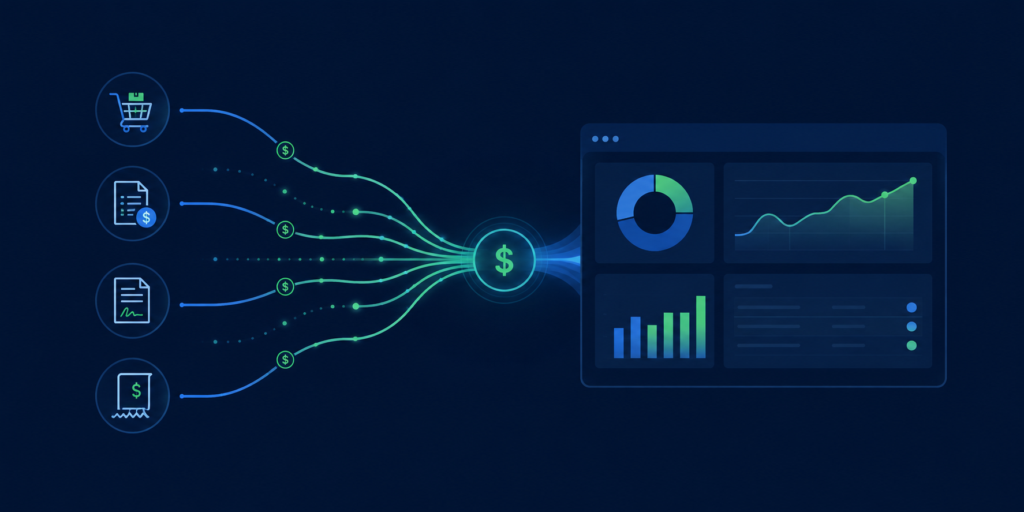
A better way to check a cloud invoice is to match it against two other sources, line by line:
When all three agree, the invoice goes to payment, already split by team or cost center. When they don't, AP gets the difference with the evidence: a rate above contract, a discount that wasn't applied, or a charge for a service nobody uses.
This is what AP automation for cloud invoices looks like in practice: the same discipline AP applies to any supplier, adapted to usage-based bills.
Cloud cost management and optimization: best practices
Not every tactic is worth the same effort. Sorting them by how much they save and how hard they are helps you start where the payoff is fastest.
Start here: high savings, low effortTurn off what's idle. Delete unattached storage, old snapshots and instances with no traffic.
Schedule non-production. Development and test environments rarely need to run nights and weekends.
Check the invoice. Validate rates, credits and discounts before you pay. It's the cheapest saving there is.
Plan for these: high savings, more effortUse commitment discounts (reserved instances, savings plans) for workloads that run all the time.
Rightsize instances to match real usage instead of the size someone guessed at launch.
Revisit architecture for the biggest workloads, where a redesign can cut costs for years.
Easy hygiene: lower savings, low effortSet budgets and alerts per team or project, so surprises show up in days, not at month-end.
Use cheaper storage tiers for data that's rarely accessed.
Foundations: make everything else possible.
Tag everything. Owner, team, project and environment on every resource. Without tags, allocation is guesswork.
Give every account an owner. A person who sees the number and can act on it.
Allocate costs to cost centers every month, so each team sees its own bill.
Review together. A monthly 30-minute review with IT, finance and the biggest spenders does more than any dashboard.
What to look for in cloud-based expense management software
Most cloud tools are built either for engineers (usage dashboards) or for finance (invoice workflows). The best cloud-based expense management software connects the two. These questions help you tell them apart:
Does it cover every provider in one view? AWS, Azure, Google Cloud and smaller providers, plus the SaaS and AI services that bill like cloud.
Does it check the invoice, not just the usage? Look for line-by-line validation against usage data and contract rates, with exceptions sent to AP with evidence.
Can it allocate costs automatically? Each line should land on the right team, project or cost center without a monthly spreadsheet.
Does it flag anomalies early? A cost spike should trigger an alert within days, not show up on next month's bill.
Does it connect to your finance systems? Approvals, AP, the general ledger and reporting should receive clean, allocated data.
Who runs it? Some tools are software only. Others include a team that validates invoices, chases disputes and keeps the setup current for you.
How Asignet approaches cloud expense management
Asignet's cloud expense management brings the usage side and the invoice side together, across AWS, Azure, Google Cloud and other providers.
Invoice validation. Each cloud invoice is checked against usage, contracts and approved services before it's paid.
Cost allocation. Every cost is assigned to the right department, project, user or cost center.
Anomaly detection. Unexpected spikes in usage or cost are flagged early.
Optimization support. Unused and inefficient resources are surfaced so your team can act on them.
Finance integration. Clean, allocated data flows into AP, the general ledger and your reporting tools.
Cloud rarely lives alone, so the same platform covers SaaS management, the rest of your IT estate through Technology Lifecycle, and the invoice controls of AP automation.
Start with one bill. Pick your largest cloud invoice and validate it line by line against usage and your contract. Most teams learn more from that one exercise than from months of dashboards. If you'd like help with the first one, get in touch.