Why AWS cloud cost management matters
AWS makes it easy to launch resources and just as easy to lose track of what they cost. Instances outlive the projects that created them, services scale on their own, and the monthly invoice rarely says which team or product drove the spend. AWS cloud cost management is the discipline that closes that gap: seeing where money goes, assigning it to owners, cutting waste, and keeping spend inside budget.
Managing more than AWS? If your cloud bill spans AWS, Azure and Google Cloud — or you need to validate invoices and allocate costs to cost centers alongside telecom and SaaS spend — Asignet Cloud Expense Management brings it into one platform with automated invoice validation, cost allocation and anomaly detection. Book a demo.
This guide covers the native Amazon cloud cost management tools, how they compare with CloudHealth, the practices that deliver savings, and the point where an organization needs more than what AWS provides.
What cost management in the AWS cloud involves
Cost management in the AWS cloud rests on four activities. Most teams start with the first and stall before the last.
- Visibility — knowing what you spend, by service, account, Region and resource, close to real time.
- Allocation — tying every dollar to an owner through tags, cost categories and account structure, so showback or chargeback is possible.
- Optimization — rightsizing, removing idle resources, and buying Savings Plans or Reserved Instances for steady workloads.
- Governance — budgets, alerts, approval workflows and invoice checks that stop overspend before it reaches finance.
AWS covers all four for spend inside AWS. The gaps appear when spend sits across several clouds, or when finance needs invoices reconciled with contracts and pushed into AP and the general ledger.
Native AWS cloud cost management tools
AWS bundles its Amazon cloud cost management tools into the Billing and Cost Management console. Most are free to use in the console; you pay mainly for API calls and extra granularity.
| Tool | What it does | Best for | Cost |
|---|---|---|---|
| AWS Cost Explorer | Charts historical spend and usage, forecasts, filters by service, account and tag; now answers plain-language questions through Amazon Q | Day-to-day analysis and trend spotting | Console free; API $0.01 per request; hourly granularity $0.01 per 1,000 usage records |
| AWS Budgets | Sets cost, usage, RI and Savings Plans budgets; alerts on actual or forecast overruns; can trigger actions | Guardrails per team or project | Monitoring free; first 2 action-enabled budgets free |
| AWS Cost Anomaly Detection | Uses machine learning to flag unusual spend and its likely root cause | Catching runaway costs early | Free |
| Cost Optimization Hub | Pulls rightsizing, idle-resource and commitment recommendations across accounts and Regions into one ranked list | Prioritizing savings work | Free |
| AWS Compute Optimizer | Flags over-provisioned EC2, Auto Scaling, Lambda, EBS and database resources | Rightsizing | Free tier; paid enhanced metrics |
| AWS Trusted Advisor | Runs best-practice checks, including cost checks for idle and underused resources | Periodic hygiene reviews | Full checks need Business Support or higher |
| Data Exports / Cost and Usage Report (CUR) | Delivers line-item billing data to S3 for analysis in Athena, QuickSight or a BI tool | Custom reporting and chargeback | Free export; you pay for storage and query |
| Savings Plans and Reserved Instances | Discount commitments for steady compute and database usage | Lowering unit cost | Commitment-based |
AWS keeps extending these tools. Cost Explorer gained natural-language querying powered by Amazon Q in April 2026, and Budgets added a dashboard widget in May 2026. Cost Optimization Hub now also scores overall cost efficiency so teams can track progress over time.
The limit is scope: every one of these tools sees AWS only.
Amazon cost management vs CloudHealth
AWS native tools win on price and depth inside AWS; CloudHealth wins on multi-cloud reach and enterprise reporting. CloudHealth, founded in 2012, passed to VMware and then to Broadcom, which relaunched it in 2025 with AI features for summarizing cost changes.
| Criteria | AWS Cost Management (native) | CloudHealth (Broadcom) |
|---|---|---|
| Clouds covered | AWS only | AWS, Azure, Google Cloud, Oracle Cloud |
| Price | Mostly free; small API and granularity fees | Subscription; no public list price |
| Data freshness | Native, updated several times a day | Ingests provider billing data |
| Recommendations | Cost Optimization Hub, Compute Optimizer, Savings Plans | Rightsizing, RI and Savings Plans management across clouds |
| Allocation and chargeback | Tags, cost categories, CUR-based reports you build | Built-in perspectives, showback and chargeback reports |
| Governance | Budgets, budget actions, anomaly alerts | Policies, alerts, anomaly detection |
| Setup effort | Low | Moderate to high; often needs dedicated FinOps staff |
| Invoice validation against contracts | No | Limited |
Choose AWS native tools if almost all spend is on AWS and engineering owns cost. Choose CloudHealth or a similar FinOps platform if you run several clouds and need standardized allocation reports. If finance also needs invoices validated and costs posted to AP and GL — across cloud and other IT spend — look at a cloud expense management platform such as Asignet.
8 best practices for AWS cost control
The fastest savings usually come from cleanup and rightsizing, not from complex automation. Work through these in order.
- Structure accounts with AWS Organizations. Separate production, development and business units so costs split cleanly before any tagging.
- Enforce a tagging policy. Require tags such as owner, cost center, project and environment; use tag policies and cost categories to catch gaps.
- Set budgets for every team. Create AWS Budgets per account or cost category, with alerts at 80% and 100% of forecast.
- Turn on Cost Anomaly Detection. It is free and flags spikes within a day instead of at month-end.
- Clean up idle resources monthly. Unattached EBS volumes, old snapshots, idle load balancers and unused Elastic IPs add up quietly.
- Rightsize before you commit. Act on Compute Optimizer and Cost Optimization Hub recommendations, then buy Savings Plans for the smaller, steady baseline.
- Schedule non-production workloads. Stop dev and test environments outside working hours.
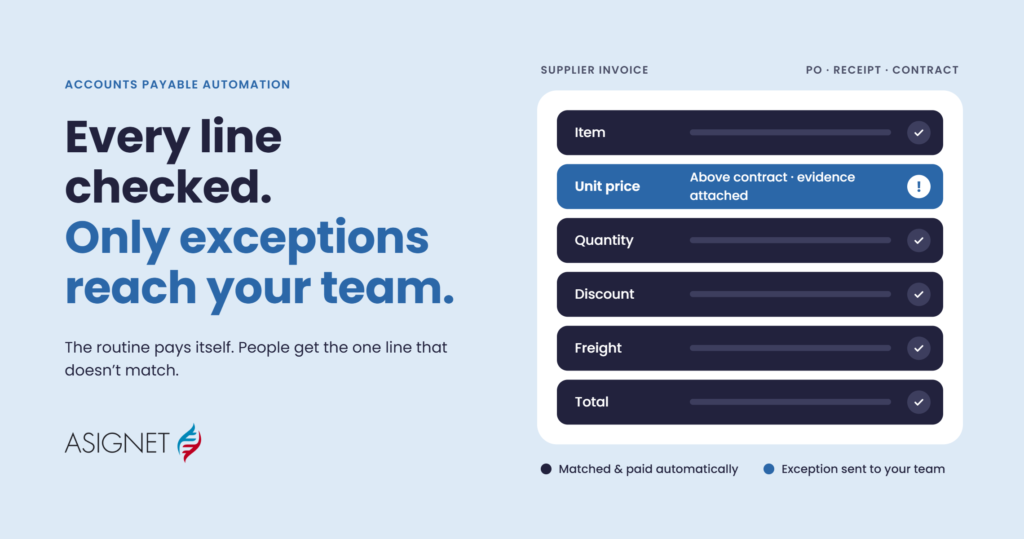
- Reconcile invoices and allocate costs. Compare billed charges against usage, discounts and contracts, then post costs to the right cost centers so finance and IT see the same numbers.
When native AWS tools aren’t enough
Native tools stop at the AWS boundary and at the engineering view of cost. Organizations usually outgrow them for three reasons:
- Multi-cloud spend. AWS tools cannot see Azure, Google Cloud or other providers, so leaders stitch reports together in spreadsheets.
- Finance needs, not just engineering needs. AP teams must validate invoices before payment, match charges to contracts, and post costs to the general ledger.
- Cloud is one line among many. Cloud sits beside telecom, mobile and SaaS spend, and CIOs want one view of technology costs.
Asignet Cloud Expense Management is built for that situation. It covers AWS, Azure, Google Cloud and other providers, and connects billing, usage and ownership in one platform:
- Cloud invoice validation against usage, contracts and approved services
- Cost allocation to departments, users, projects and cost centers
- Anomaly detection for unexpected usage and idle or misconfigured resources
- Automation workflows for approvals and validations, reducing manual reporting
- Finance integration with AP, GL and reporting tools
The same platform also handles telecom, mobile and SaaS spend. Asignet reports more than $11 billion of spend under management across 5,000+ vendors in 110+ countries, and is available on the Azure Marketplace.
Use AWS tools for engineering-level optimization, and Asignet for multi-cloud visibility, invoice accuracy and financial control.
Frequently asked questions
What is AWS cloud cost management?
It is the practice of tracking, allocating, optimizing and governing what an organization spends on AWS, using tools like Cost Explorer, Budgets and Cost Optimization Hub alongside clear ownership and policies.
What are the best AWS cloud cost management tools?
Start with the free native set: Cost Explorer, AWS Budgets, Cost Anomaly Detection, Cost Optimization Hub and Compute Optimizer. Add a third-party platform when you need multi-cloud coverage, chargeback or invoice validation.
Are Amazon cloud cost management tools free?
Mostly. The consoles for Cost Explorer, Budgets monitoring, Anomaly Detection and Cost Optimization Hub cost nothing. You pay for Cost Explorer API calls ($0.01 each), hourly granularity, and action-enabled budgets beyond the first two.
Amazon cost management vs CloudHealth — which should I use?
Use AWS native tools if you are AWS-only and cost-sensitive. Consider CloudHealth if you run several clouds and need enterprise reporting. If finance needs invoice validation and GL integration across cloud and other IT spend, consider a cloud expense management platform like Asignet.
How is cloud cost management in AWS different from cloud expense management?
Cloud cost management focuses on usage and optimization inside a provider. Cloud expense management adds the finance layer: invoice validation, contract checks, cost allocation and AP integration across all providers.
Take control of your cloud spend
AWS gives every team a strong, low-cost starting point for cloud cost management. Use it to see spend, set budgets and act on savings recommendations. When your cloud footprint spans several providers, or finance needs every invoice validated and allocated, add a platform built for that job.
See how Asignet Cloud Expense Management works — or book a demo for a free savings analysis.