
Microsoft 365 and Dropbox both let teams store, share and work on files together, but they solve different problems. Microsoft 365 is a full productivity suite: email, Office apps, Teams meetings and chat, with OneDrive and SharePoint for files. Dropbox is a file-first platform built for storing, sharing and reviewing large files, especially across companies and creative tools.
The short answer: if your organization needs email, Office apps and meetings, Microsoft 365 covers file storage too, and adding Dropbox may mean paying twice. Dropbox earns its place for teams that work with large media, design or construction files, or share heavily with outside clients.
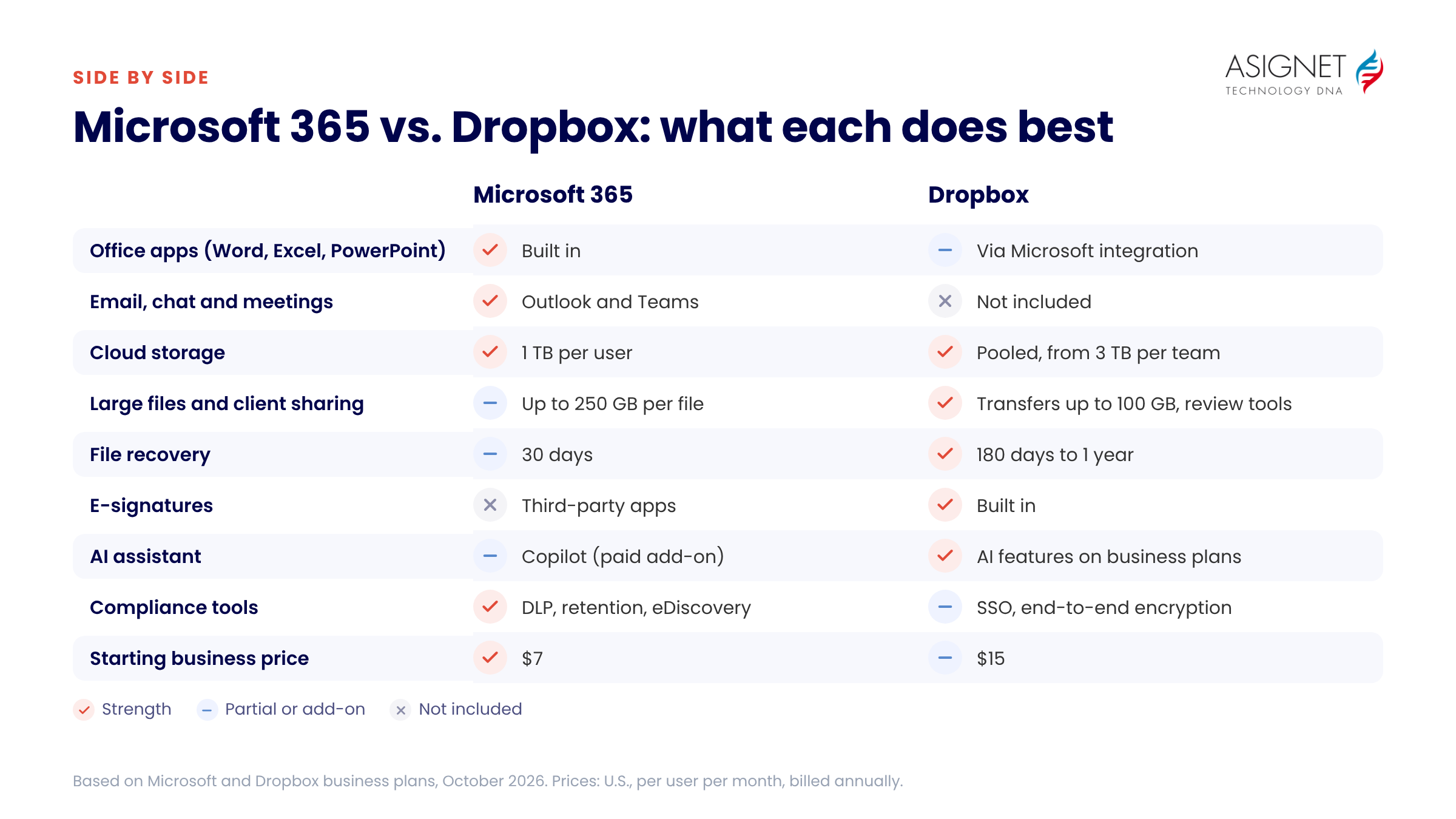
Microsoft 365 vs. Dropbox at a glance
| Feature | Microsoft 365 | Dropbox |
|---|---|---|
| What it is | Productivity suite with email, Office apps, Teams and cloud storage | Cloud storage, file sharing and file review platform |
| Office apps | Word, Excel, PowerPoint and Outlook (desktop apps on Business Standard and above) | Opens and edits Office files through Microsoft integration; no apps of its own |
| Email, chat and meetings | Exchange email and Microsoft Teams | Not included |
| Cloud storage | 1 TB of OneDrive per user, plus shared SharePoint storage | Pooled team storage, from 3 TB (Standard) or 15 TB (Advanced) |
| Large files and transfers | Upload files up to 250 GB | Send files up to 100 GB with Dropbox Transfer; video and design review tools |
| Real-time co-authoring | Yes, in Word, Excel, PowerPoint and Loop | Through Microsoft and Google integrations |
| File recovery and version history | Version history and restore up to 30 days in OneDrive | 180 days (Standard) or 1 year (Advanced) |
| E-signatures | Not built in (third-party apps) | Built in, with limited monthly requests; more with Dropbox Sign |
| AI | Microsoft 365 Copilot, a paid add-on, works across Office apps, email and Teams | AI features on business plans; Dropbox Dash searches across connected apps |
| Security and compliance | Encryption, MFA, data loss prevention; advanced compliance (Purview) on E3/E5 | Encryption, MFA, SSO; end-to-end encryption and key management on Advanced |
| Starting business price | $7 per user per month (Business Basic) | $15 per user per month (Standard) |
Pricing compared
| Plan | Price per user per month | What you get |
|---|---|---|
| Microsoft 365 Business Basic | $7 | Email, Teams, web and mobile Office apps, 1 TB OneDrive |
| Microsoft 365 Business Standard | $14 | Everything in Basic plus desktop Office apps |
| Microsoft 365 Business Premium | $22 | Everything in Standard plus advanced security and device management |
| Dropbox Standard | $15 | Team storage from 3 TB, 180-day file recovery, admin controls |
| Dropbox Advanced | $24 | Team storage from 15 TB, 1-year file recovery, SSO, end-to-end encryption |
U.S. prices billed annually, as of October 2026. Microsoft 365 Business plans cover up to 300 users; larger organizations use Enterprise plans (E3, E5). Dropbox team plans have minimum user counts and Enterprise pricing on request. Check each vendor’s site for current pricing.
Collaboration and productivity
Microsoft 365 wins on everyday collaboration because everything lives in one place. Teams combines chat, meetings and channels with shared files, and several people can edit the same Word, Excel or PowerPoint file at once. Loop components let teams share live lists and tables across chats, email and documents.
Dropbox focuses on the file itself. It is strong at sharing folders with clients and contractors who don’t use your systems, reviewing video and design files with comments, and collecting signatures. For document editing, it relies on integrations with Microsoft 365 and Google Workspace.
Storage and file sharing
Microsoft 365 gives each user 1 TB of OneDrive storage, plus a shared SharePoint pool for team sites. That is enough for most office documents, but it is allocated per person.
Dropbox pools storage across the team and makes it easy to add more. It handles very large files well and keeps deleted files and versions for longer: 180 days on Standard and a full year on Advanced. Teams that work with video, CAD or high-resolution images often prefer it.
AI features
Both platforms have added AI. Microsoft 365 Copilot drafts documents, summarizes meetings and email threads, and analyzes spreadsheets, but it is a paid add-on on top of a Microsoft 365 license. Dropbox includes AI features in its business plans, such as file summaries and search, and its Dash product searches across Dropbox and other connected work apps.
Security and compliance
Both platforms encrypt data, support multi-factor authentication and give admins control over sharing. Microsoft 365 has the deeper compliance toolset, including data loss prevention, retention policies, eDiscovery and sensitivity labels, with advanced versions on E3 and E5 plans. Dropbox Advanced adds single sign-on, end-to-end encryption and advanced key management, which suit teams sharing sensitive files with outside partners.
Integrations
Microsoft 365 connects tightly with its own apps and with thousands of third-party apps through Teams and Microsoft’s app marketplace. Dropbox integrates with Microsoft 365, Google Workspace, Slack, Zoom, Adobe Creative Cloud, Autodesk and many others, which makes it a neutral file layer for teams that use tools from several vendors.
Which is right for your organization?
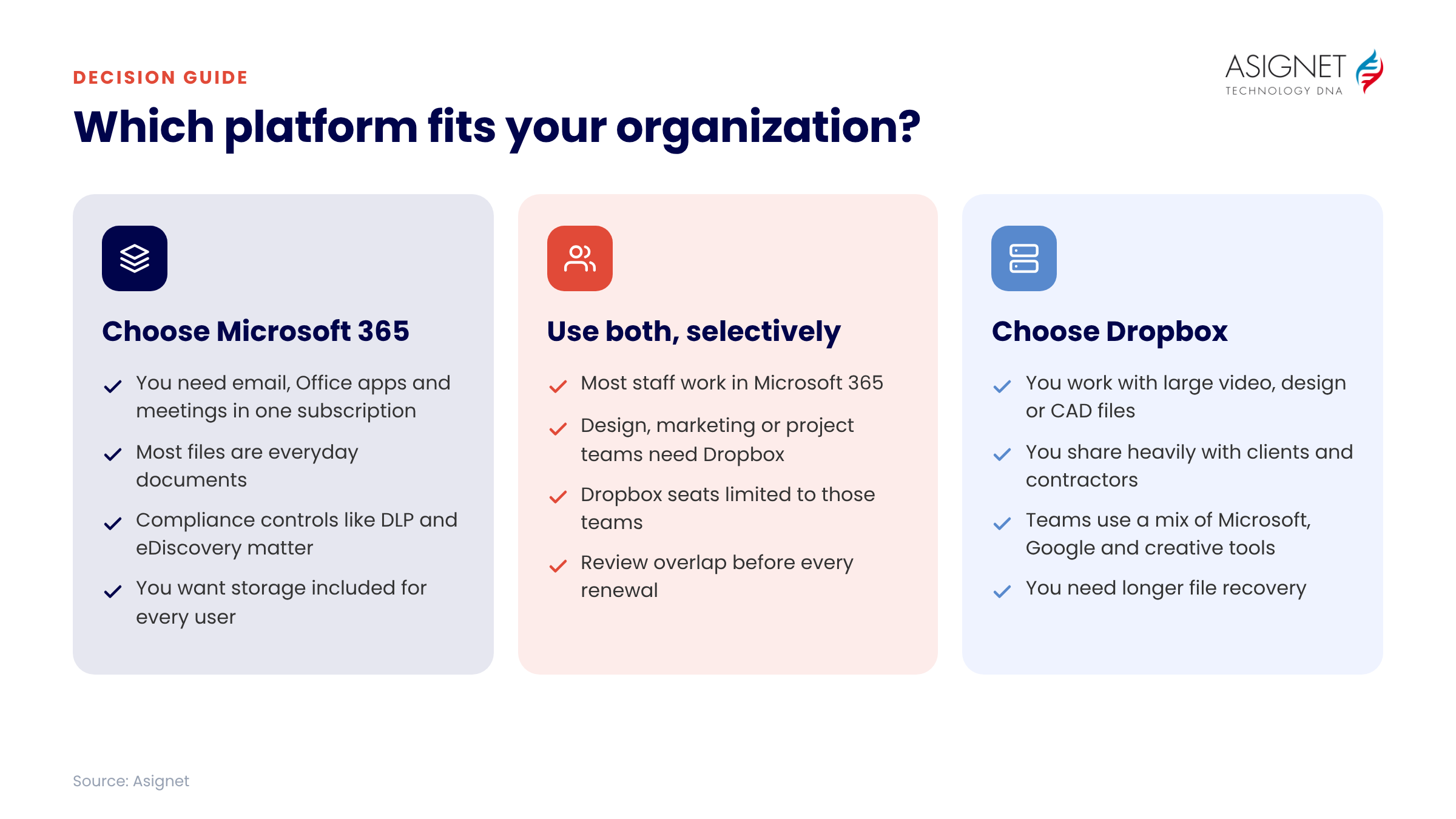
Choose Microsoft 365 if you need email, Office apps and meetings in one subscription, want built-in storage for every user, and need strong compliance controls.
Choose Dropbox if you work with large media, design or construction files, share heavily with clients and contractors, or use a mix of Microsoft, Google and creative tools.
Use both if specific teams, such as marketing, design or project delivery, need Dropbox’s file handling while the rest of the company works in Microsoft 365. Limit Dropbox to those teams so you’re not paying twice for storage.
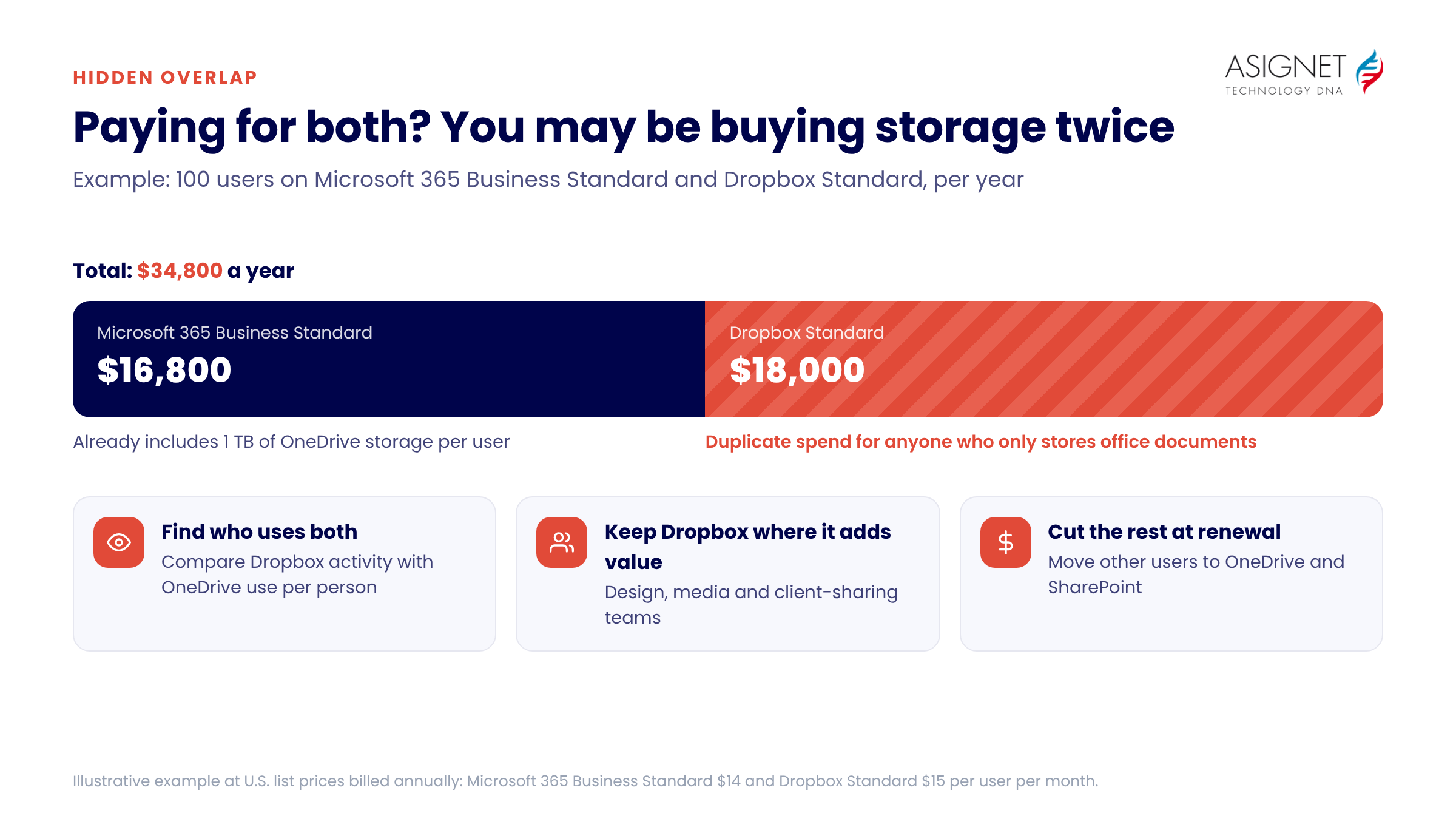
Paying for both? Watch for overlap
Many companies pay for Microsoft 365 and Dropbox for the same people. Every Microsoft 365 user already has 1 TB of OneDrive, so a Dropbox seat for someone who only stores office documents is often duplicate spend. For example, 100 users on Dropbox Standard cost about $18,000 a year at list price.
Review who actually uses each platform, keep Dropbox seats for the teams that need its features, and move everyone else to OneDrive and SharePoint.
How Asignet helps you manage collaboration software costs
- One view of SaaS spend. See Microsoft 365, Dropbox and other subscriptions, licenses and renewal dates in a single dashboard.
- Usage insights. Find inactive users and overlapping tools, such as people licensed for both OneDrive and Dropbox.
- License right-sizing. Get recommendations to move users to the most cost-effective Microsoft 365 plan.
- Renewal control. Get alerts before renewals so you can adjust seat counts and negotiate.
Contact Asignet to find out where your collaboration software spend overlaps.
Frequently asked questions
Is Microsoft 365 better than Dropbox?
For most businesses that need email, Office apps and meetings, yes: Microsoft 365 includes cloud storage as part of a broader suite. Dropbox is better for teams that mainly need to store, share and review large files, especially with outside partners.
Does Microsoft 365 include cloud storage like Dropbox?
Yes. Microsoft 365 business plans include 1 TB of OneDrive storage per user, plus shared SharePoint storage for team sites.
Can Dropbox work with Microsoft Office?
Yes. You can open, edit and co-author Word, Excel and PowerPoint files stored in Dropbox using Microsoft 365 apps.
Which is cheaper, Microsoft 365 or Dropbox?
Microsoft 365 Business Basic starts at $7 per user per month and includes email, Teams and 1 TB of storage. Dropbox business plans start at $15 per user per month for storage and sharing only.
Should a company pay for both Microsoft 365 and Dropbox?
Only for the teams that need Dropbox’s large-file, review or external-sharing features. Licensing both platforms for everyone usually means paying twice for storage.