Ask a procurement team where their week goes, and the answer is rarely "negotiating." It's chasing approvals, copying requests into purchase orders, checking whether a supplier's price matches the contract, and answering the same "where's my order?" email for the fifth time.
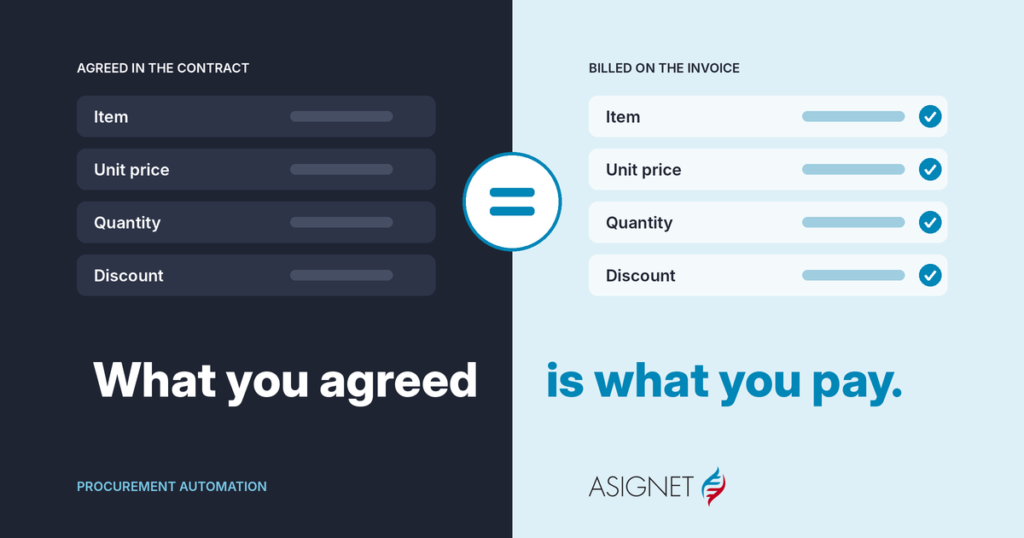
Procurement automation takes that work off their desk. Done well, it also does something harder: it makes sure that what you agreed to buy is what you end up paying for.
This guide explains what procurement automation is, which steps to automate first, the best practices that make it stick, and what to look for in procurement automation software.
What is procurement automation?
Procurement automation is the use of software, rules and robots to run the steps of buying goods and services, from the first request to the final payment, with as little manual work as possible.
It doesn't replace procurement teams. It replaces the parts of their job that don't need judgment: routing a request to the right approver, creating a purchase order from an approved request, checking an invoice against the PO, or pulling invoices from a supplier portal. People stay on the decisions: which supplier, at what price, under which terms.
It applies to every kind of spend, but it pays off fastest where volume is high and the rules are clear: IT and software, telecom, cloud, office supplies, recurring services.
What you can automate, from request to payment
Procurement doesn't end when the purchase order goes out. The same process, often called procure-to-pay, carries on through receiving, invoice matching and payment. Procurement automation works best when it covers the whole path.
Procurement automation runs from the first request to the last payment
- RequestIntake form or catalog
- ApproveRules route approvals
- SourceUsage and contract data
- OrderPO created automatically
- ReceiveReceipt and asset record
- Match3-way match, line by line
- PayApproved and sent to ERP
Most automation stops at the purchase order. The money leaks after it, at the invoice.
| Step | What gets automated | What people still do |
|---|---|---|
| Request | Intake forms and catalogs capture what's needed, for whom and why | Ask for what they need |
| Approve | Rules route each request by amount, category and budget | Approve the exceptions |
| Source | Usage, contract and pricing data are pulled together for each decision | Choose the supplier and negotiate |
| Order | Purchase orders are created from approved requests and sent to the supplier | Nothing, in most cases |
| Receive | Receipts are recorded, and IT assets get an inventory record | Confirm delivery |
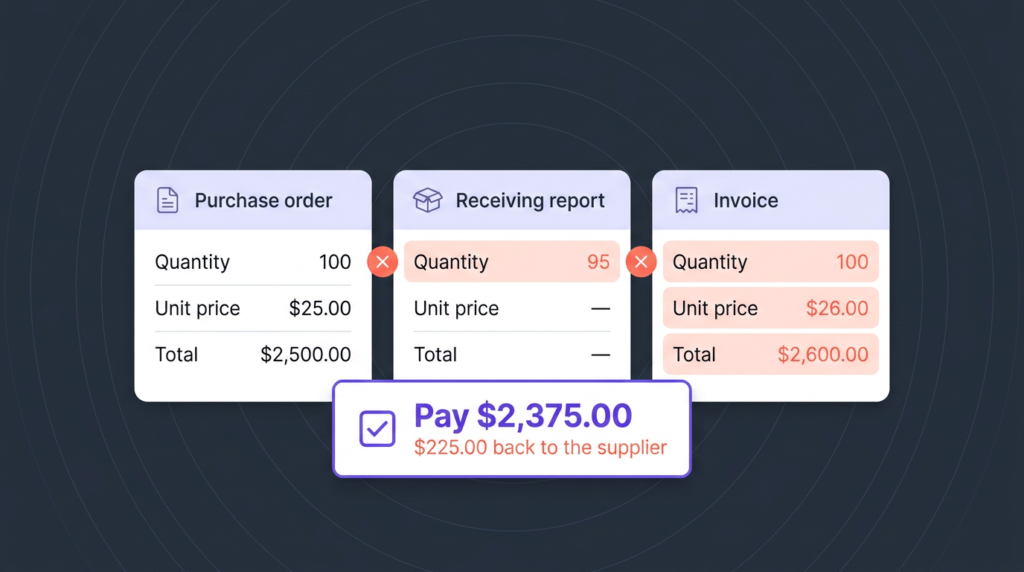
| Match | Each invoice line is checked against the PO, the receipt and the contract | Resolve differences |
| Pay | Approved invoices go to the ERP, coded to the right cost center | Release payment |
The highlighted step, matching, is the one most procurement automation projects leave out. It's also where a negotiated price either holds or quietly slips.
Benefits of procurement automation
- Faster cycle times. Requests stop waiting in inboxes. Approvals happen in hours, and orders go out the same day.
- Fewer errors. No retyping between request, PO and invoice means fewer wrong quantities, prices and codes.
- Contract prices that hold. When every invoice is checked against the contract, overcharges are caught before payment, not after.
- Less maverick spend. When the approved path is also the easiest one, people stop buying around it.
- Better supplier conversations. With usage and pricing data in one place, negotiations start from facts.
- A clean audit trail. Every request, approval, order and payment is logged, with who did what and when.
- A team focused on value. Procurement spends its time on sourcing and suppliers, not on paperwork.
Procurement automation best practices
1. Map the process before you automate it
Automating a messy process just makes the mess faster. Write down every step as it really runs today, including the emails, spreadsheets and portals, and fix the obvious gaps first.
2. Start where volume and pain meet
Pick one category with lots of transactions and clear rules, like software licenses, mobile devices or office supplies. A quick win there builds the case for the rest.
3. Make the approved path the easy path
If requesting through the system takes longer than buying with a card, people will use the card. Short forms, smart defaults and fast approvals do more for compliance than any policy.
4. Set approval rules by risk, not by habit
Not every purchase needs three signatures. Route by amount, category and budget, and let low-risk, in-budget requests go straight through.
5. Connect procurement to inventory
Before buying a laptop or a license, check whether one is already sitting unused. Automated sourcing should look at what you have, not only at what you're asked for.
6. Keep contracts where the process can read them
Prices, discounts and terms buried in PDFs can't be checked automatically. Store the commercial terms as data so every order and invoice can be compared against them.
7. Follow the money to the invoice
The purchase order is a promise; the invoice is what you pay. Check every invoice line against the PO, the receipt and the contract, and dispute differences until the credit arrives.
8. Measure and keep improving
Track a few numbers every month: cycle time, share of spend under contract, share of touchless orders and invoices, and amount recovered. They show where the next bottleneck is.
What to look for in procurement automation software
Does it cover the whole path? Request, approval, sourcing, ordering, receiving, invoice matching and payment. Tools that stop at the PO leave the costliest step to spreadsheets.
Can it read your contracts and invoices? Look for line-level checks against contract terms, not just totals.
Does it work with your suppliers' portals? Many suppliers only offer invoices and order status in their own portals. Robots that log in and pull them save hours every week.
Is it configurable without code? Approval rules, forms and categories change. Your team should be able to adjust them in days, not wait months for a project.
Does it connect to your ERP and finance systems? Orders, receipts and invoices should flow in and out without manual exports.
Who runs it? Some tools are software only. Others include a team that manages exceptions, suppliers and disputes for you.
How to get started
- Choose one category with high volume and frequent complaints.
- Map it end to end, from request to payment, and note where work waits or gets retyped.
- Record today's baseline: how long a request takes, how many invoices need manual work, how much is bought off contract.
- Automate the full path for that category, including invoice matching, not just the front end.
- Expand to the next category on the same platform, reusing rules and integrations.
Where Asignet fits
Asignet automates procurement for technology and business spend, from the request to the validated invoice, on one platform and with a team that runs it with you.
| If you need to... | Asignet service |
|---|---|
| Source suppliers with real usage and cost data, and provision devices and licenses automatically | Smarter Automation |
| Route approvals and keep vendors and contracts in one place | Business Spend Management |
| Check every invoice line against the PO, the receipt and the contract | Invoice Validation |
| Pull invoices and order status from supplier portals | RPA as a Service |
| Track every IT asset from order to retirement | Technology Lifecycle |
| Build custom workflows, forms and integrations without long projects | Wayfast platform |
Before buying, check what you already have.
Asignet's Smarter Automation compares each request with your inventory, contracts and budget before a purchase order goes out, and Invoice Validation makes sure the price you negotiated is the price you pay.
Frequently asked questions
What is procurement automation?
Procurement automation is the use of software, rules and robots to run the steps of buying goods and services, from request and approval to ordering, invoice matching and payment, with as little manual work as possible.
What are procurement automation best practices?
Map the process first, start with a high-volume category, make the approved path the easy one, set approval rules by risk, connect procurement to inventory, store contract terms as data, check every invoice line, and measure results monthly.
What is the difference between procurement automation and procure-to-pay automation?
Procurement automation often focuses on requests, approvals, sourcing and purchase orders. Procure-to-pay automation also covers receiving, invoice matching and payment. The best results come from automating both as one process.
What processes can be automated in procurement?
Purchase requests, approval routing, supplier sourcing data, purchase order creation, receiving, invoice matching, supplier portal downloads and payment approval.
Does procurement automation replace procurement teams?
No. It removes the repetitive work so the team can focus on sourcing, negotiations and supplier relationships.